
blxt.dev Tablet
A free companion tablet resource for blxt.dev Phone.
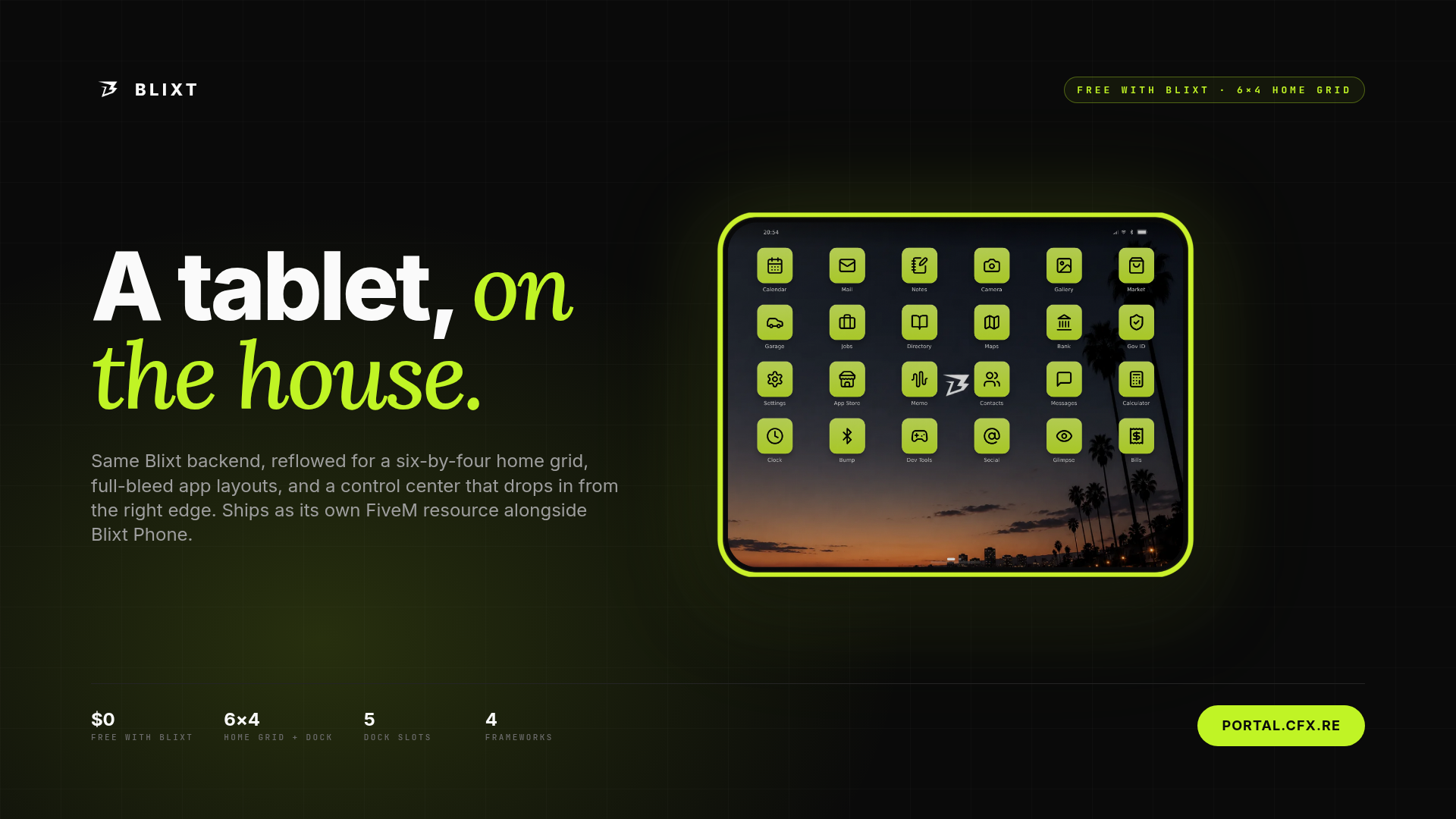
blxt.dev Tablet gives FiveM roleplay servers a wider in-game device surface for the same Blixt ecosystem. It ships as its own FiveM resource, uses its own tablet NUI and shell, and connects back to the main blixt phone resource for server data, framework integration, player records, configuration, and app data.
Live demo: tablet.blxt.dev
Documentation: docs.blxt.dev/tablet
Discord support: discord.blxt.dev
In-Game Preview
This package is a FiveM tablet resource designed to be used in-game alongside blxt.dev Phone. The package media shows the tablet UI inside gameplay so server owners can review the device frame, home grid, app layout, and roleplay workflow before installing it.
-
Preview video: shows the tablet opening in-game, app navigation, wide app layouts, control center, and everyday roleplay workflows.
-
Screenshots: show the tablet UI being used inside FiveM gameplay.
-
Live browser demo: lets you try the tablet interface before purchase at tablet.blxt.dev.
How It Is Used In A Server
Players open the tablet with the /tablet command or the configured keybind. It gives them a larger screen for apps that benefit from more space, such as mail, notes, calendar, marketplace, contacts, business tools, maps, garage, banking, bills, jobs, and other configured Blixt apps.
Server owners use the tablet as a companion device for management-heavy, department, business, economy, and admin-adjacent roleplay where a phone-sized screen feels too small. The tablet shares the same character account and server data as the phone, so player state stays consistent across both devices.
What Is Included
Tablet Resource
-
Separate
blixt-tabletFiveM resource -
Dedicated tablet NUI and device shell
-
Tablet frame and larger in-game device surface
-
/tabletcommand and configurable keybind -
Shared Blixt account, player, app, and configuration data
Tablet Shell
-
Tablet home screen built for a wider device canvas
-
App dock and larger app grid
-
Tablet app switcher
-
Right-edge control center
-
Spotlight/search from the home surface
-
Tablet setup, boot, lock, wake, and power states
Shared Blixt Apps
-
Messages
-
Contacts
-
Phone / calls, when enabled through the main Blixt setup
-
Camera
-
Gallery
-
Mail
-
Notes
-
Calendar
-
Marketplace
-
Banking
-
Bills
-
Business tools
-
Jobs
-
Garage
-
Maps
-
Weather
-
Settings
Unique Features
-
Free companion resource: blxt.dev Tablet is free and depends on the main blxt.dev Phone resource.
-
Wider roleplay workspace: apps that feel cramped on a phone can use more horizontal space on the tablet.
-
Shared backend: the tablet reuses the phone resource's database, framework adapter, player records, migrations, and config.
-
Same character state: messages, contacts, app data, and other character-scoped data stay consistent across phone and tablet.
-
Configurable app availability: server owners can hide or show tablet apps through Blixt configuration.
-
Public documentation: install and configuration guidance is available at docs.blxt.dev/tablet.
Feature Highlights
A Bigger Device For Bigger Workflows
The tablet is designed for workflows where a phone-sized screen is not enough. It works well for mail, calendar planning, note taking, marketplace browsing, garage review, map usage, business tools, department workflows, and other roleplay tasks that benefit from a wider surface.
Built On The Same Blixt Backend
The tablet does not require a second database or a separate framework adapter. It depends on the main blixt resource, inherits the same configured framework integration, and uses the same server-side Blixt data surface.
Tablet-Aware App Layouts
Blixt apps can render tablet-aware layouts when more room is available. Apps with list and detail views can use the wider device canvas for more comfortable browsing, reading, and management.
Roleplay-Friendly Data Rules
The tablet follows the same roleplay privacy posture as the phone. It should not expose hidden framework metadata, unknown numbers remain unknown, and app data is scoped to what the character can reasonably know.
Compatibility And Requirements
Required Resource
blxt.dev Tablet requires blxt.dev Phone. Install and start blixt before blixt-tablet.
ensure oxmysql
ensure screenshot-basic
ensure pma-voice

ensure blixt
ensure blixt-tablet
Folder And Resource Name
The tablet folder must stay named blixt-tablet. Its manifest depends on the main blixt resource.
Dependencies
The tablet inherits its server requirements through the main Blixt resource. It does not need its own database connection, framework adapter, or migrations.
-
Required first:
blixt -
Inherited through Blixt: database, framework adapter, config, migrations, player records, and app data
-
Recommended with the Blixt suite:
oxmysql,screenshot-basic, andpma-voice
Configuration
The tablet uses the same blixt/config.json file as the phone. Server owners can configure tablet branding, disabled apps, default home order, featured apps, and the tablet keybind.
-
tablet.branding.deviceName: visible tablet status-bar name -
tablet.disabledApps: hide apps that do not make sense on tablet -
tablet.homeOrder: default home-screen app order -
tablet.featuredApps: featured App Store apps for tablet users -
tablet.toggleKey: default keybind for/tablet
Full configuration documentation is available at docs.blxt.dev/tablet.
Performance And Reliability
blxt.dev Tablet is designed as a companion device, not a second server backend. It keeps server-side data work inside the main Blixt resource and focuses the tablet package on the dedicated tablet NUI, shell, frame, and wider app experience.
Because final performance depends on your server stack, enabled apps, player count, browser/NUI load, and media configuration, server owners should test the live demo, review the documentation, and ask compatibility questions before using it on a heavily customized setup.
Support And Updates
blxt.dev Tablet is provided as the free companion tablet resource for blxt.dev Phone. There is no separate tablet license.
Documentation is available at docs.blxt.dev/tablet.
Support is available through Discord: discord.blxt.dev
Support covers:
-
Install order and resource startup guidance
-
Tablet configuration help
-
Tested compatibility questions
-
Bug reports
-
Update assistance
Custom framework work, private feature development, and heavily modified server support may require separate agreement.
FAQ
Is there a live demo?
Yes. You can try the browser demo here: tablet.blxt.dev.
Where is the documentation?
Tablet documentation is available here: docs.blxt.dev/tablet.
Is blxt.dev Phone required?
Yes. blxt.dev Tablet depends on the main blixt phone resource and must be started after it.
Does the tablet need its own database?
No. The tablet reuses the main Blixt database, migrations, player records, framework adapter, and server configuration.
Can I disable tablet apps?
Yes. Use tablet configuration options such as tablet.disabledApps, tablet.homeOrder, and tablet.featuredApps to shape the tablet experience for your server.
Can external apps support the tablet?
Yes. External Blixt apps can render tablet-aware layouts and can use the wider device surface when they are configured for the Blixt app system.
Is the tablet free?
Yes. blxt.dev Tablet is the free companion tablet resource for blxt.dev Phone. Add the tablet package to your Tebex cart at $0 if it is listed separately.
fivemarket-verify-dc7514ba