
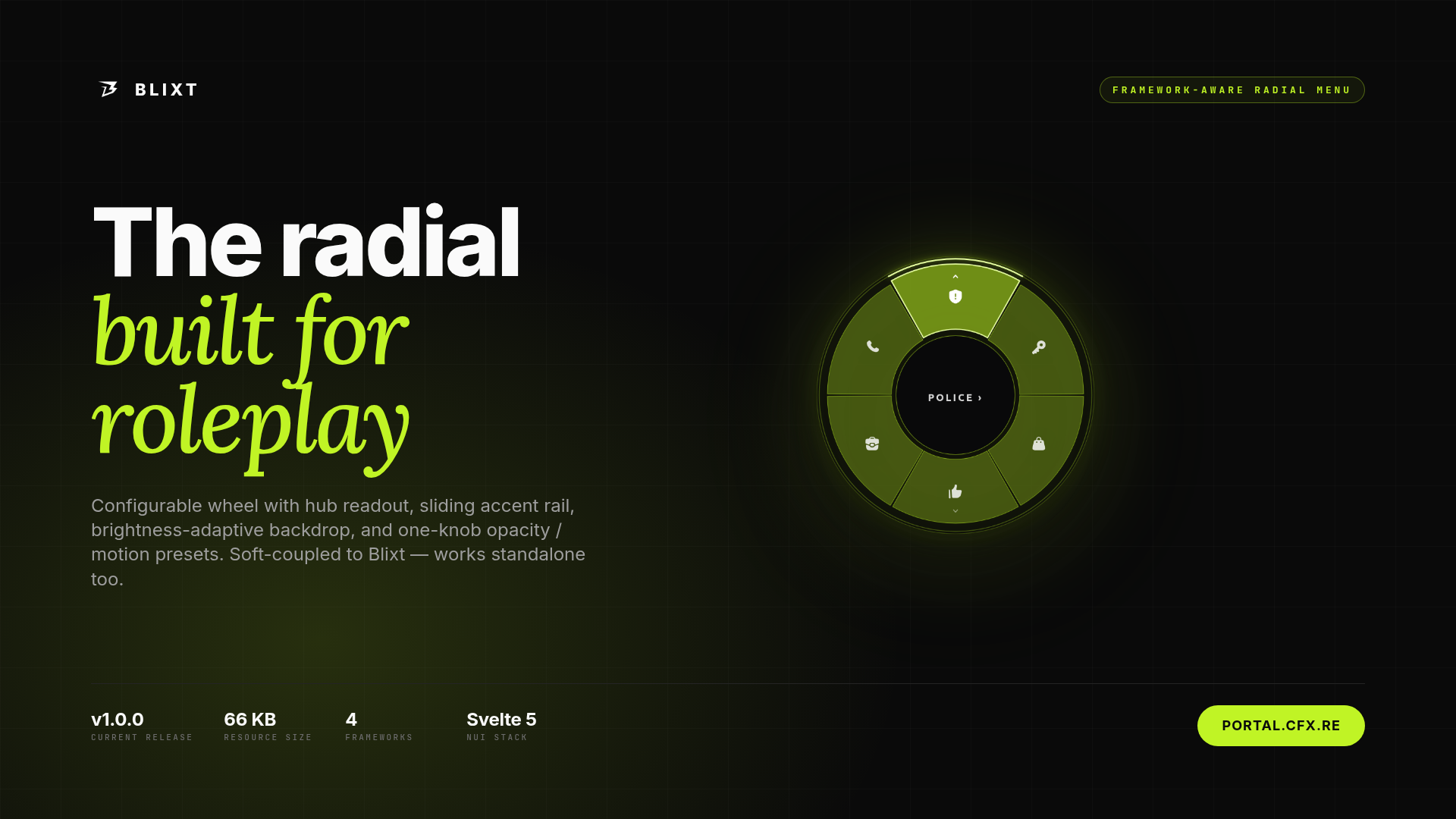
blxt.dev Radial
A configurable, framework-aware radial menu for FiveM servers.
blxt.dev Radial is a standalone in-game radial wheel resource for FiveM. It gives every server a clean, customisable hold-to-open menu that other resources can populate with their own items. Job menus, gang actions, emote pickers, vehicle interactions, admin tools — all live on a single, themable wheel that fits your community.
Documentation: docs.blxt.dev
Discord support: discord.blxt.dev
In-Game Preview
This package is an in-game FiveM resource. Please review the attached screenshots and preview video before purchase to see how the wheel looks and behaves inside a server environment.
-
Preview video: shows the wheel opening, hovering through slices, drilling into submenus, and committing a selection.
-
Screenshots: show the wheel rendered over real in-game scenes with different themes, opacity presets, and accent colours.
How It Is Used In A Server
Players hold a configurable key (default B) to open the wheel and release to commit. The wheel shows whatever items other resources on your server have registered — police actions on duty, gang options when near territory, emotes always, vehicle interactions when seated, and so on. The keybind is rebindable per-player through the FiveM pause menu.
Server owners control how the wheel looks, when items appear, and which players can see which actions through configuration, convars, and a small scripting API. No phone resource required — blxt.dev Radial is soft-coupled to the rest of the blxt.dev product line and works standalone.
What Is Included
The Wheel
-
Hold-to-open / release-to-commit hold pattern (rebindable per player)
-
Click-to-drill or hover-to-drill into submenus (configurable per server)
-
Unlimited submenu nesting
-
Central hub readout showing the hovered slice and breadcrumb path
-
Animated sliding accent rail under the selected slice
-
Outward chevron indicator on slices that contain submenus
-
"Go Back" prompt when the cursor enters the centre while inside a submenu
-
Backdrop brightness adaptation — the wheel firms up on bright scenes, pulls back on dark interiors
Appearance
-
Three opacity presets: subtle, default, solid
-
Three motion presets: full, subtle, off — for players or servers that prefer a quieter HUD
-
Single-knob accent colour configuration (HSL triple)
-
Per-token theme overrides for full visual customisation
-
Per-slice accent colour overrides for category-tinted menus (e.g. EMS red, police blue, gang accent)
-
Bundled icon set based on Solar Bold; custom icons supported via the icon string
Framework Integration
-
QBox, QBCore, ESX, and Standalone framework adapters included
-
Automatic framework detection with manual override via convar
-
Per-character data correctness on multi-character frameworks — items reflect the active character only
-
Server-side visibility filtering: required job, required group, minimum job grade, or custom
canShowevent -
Re-validation on the server when an item fires — clients never trigger an action they couldn't see
Scripting API
-
exports['blixt-radial']:register(...)— add items from any other resource -
exports['blixt-radial']:unregister(...)/:clear()— manage items per-resource -
exports['blixt-radial']:open(...)/:close()— programmatic control -
exports['blixt-radial']:setTheme(...)— runtime theme override -
Automatic cleanup when a registering resource stops — no manual unregister required
-
Three callback shapes per item: client event, server event, or in-process Lua function
Configuration And Customisation
You can adapt the wheel through:
-
Configuration options in
config.lua -
Runtime convars (theme color, opacity, motion, drill behaviour, auto-drill timing, framework selection)
-
Per-resource
registercalls from any other script -
Framework adapter behavior
-
Theme tokens (CSS custom properties) for deep visual control
Typical setup is a few minutes: ensure blixt-radial in your server config, set the framework convar if you don't want auto-detect, and start registering items from your own resources. The wheel handles the rest.
Performance
-
Resource is approximately 150 KB on disk after install
-
No render while idle — the NUI only renders frames when the wheel is open
-
Single SVG element; hover updates are class toggles, not full redraws
-
Server filters items once per open and caches per-source for a short TTL
-
CEF-compatible rendering: no
oklch(), nocolor-mix(), nocolor-scheme, nobackdrop-filterdependencies
Support And Updates
Purchase includes access to the blxt.dev Radial resource and product updates released for this Tebex package.
Documentation is available at docs.blxt.dev.
Support is available through Discord: discord.blxt.dev
Support covers:
-
Install guidance
-
Configuration help
-
Tested compatibility questions
-
Bug reports
-
Update assistance
Custom integration work for proprietary frameworks, private feature development, and heavily modified server support may require separate agreement.
FAQ
Does this require the blxt.dev Phone resource?
No. blxt.dev Radial is a standalone resource — it can run on a server without the phone installed. If both are installed, items from any other resource can target the wheel directly without going through the phone.
Which frameworks are supported?
Official adapters are included for QBox, QBCore, ESX, and Standalone. The active adapter is selected automatically by default, or pinned via the radial:framework convar.
Can multiple resources add items to the same wheel?
Yes. Items are namespaced by the resource that registered them, so the wheel composes contributions from your job scripts, gang menus, admin tools, and emote pickers into a single coherent menu. When a resource stops, its items are removed automatically.
Can I change the colour or look at runtime?
Yes. Both the accent colour and the full theme can be overridden at runtime via the setTheme export or via convars. The wheel re-tints every border, fill, hover state, and glow in lockstep.
Can I hide items from players who shouldn't see them?
Yes. Items can declare requiredJob, requiredGroup, jobGradeMin, or a custom canShow event. The server filters items per-player on every open and re-validates when an item is fired, so clients never trigger an action they couldn't see.
Is there a hover-to-drill option?
Yes. Hover-to-drill is opt-in via Config.AutoDrillIn or the radial:auto_drill_in convar. Click-to-drill is always available regardless of the toggle.
Is this full source?
The resource is customisable through configuration, documented integration points, events, exports, APIs, and a theme token system. Full source access is not implied unless explicitly stated in the package terms.
Does it include future updates?
This package includes updates released for blxt.dev Radial through Tebex. Major licensing changes, separate products, or custom development are not included unless explicitly stated.
Can I translate the wheel?
The wheel itself does not display localisation-sensitive text — labels come from the items that consumer resources register. Those resources control their own localisation.